


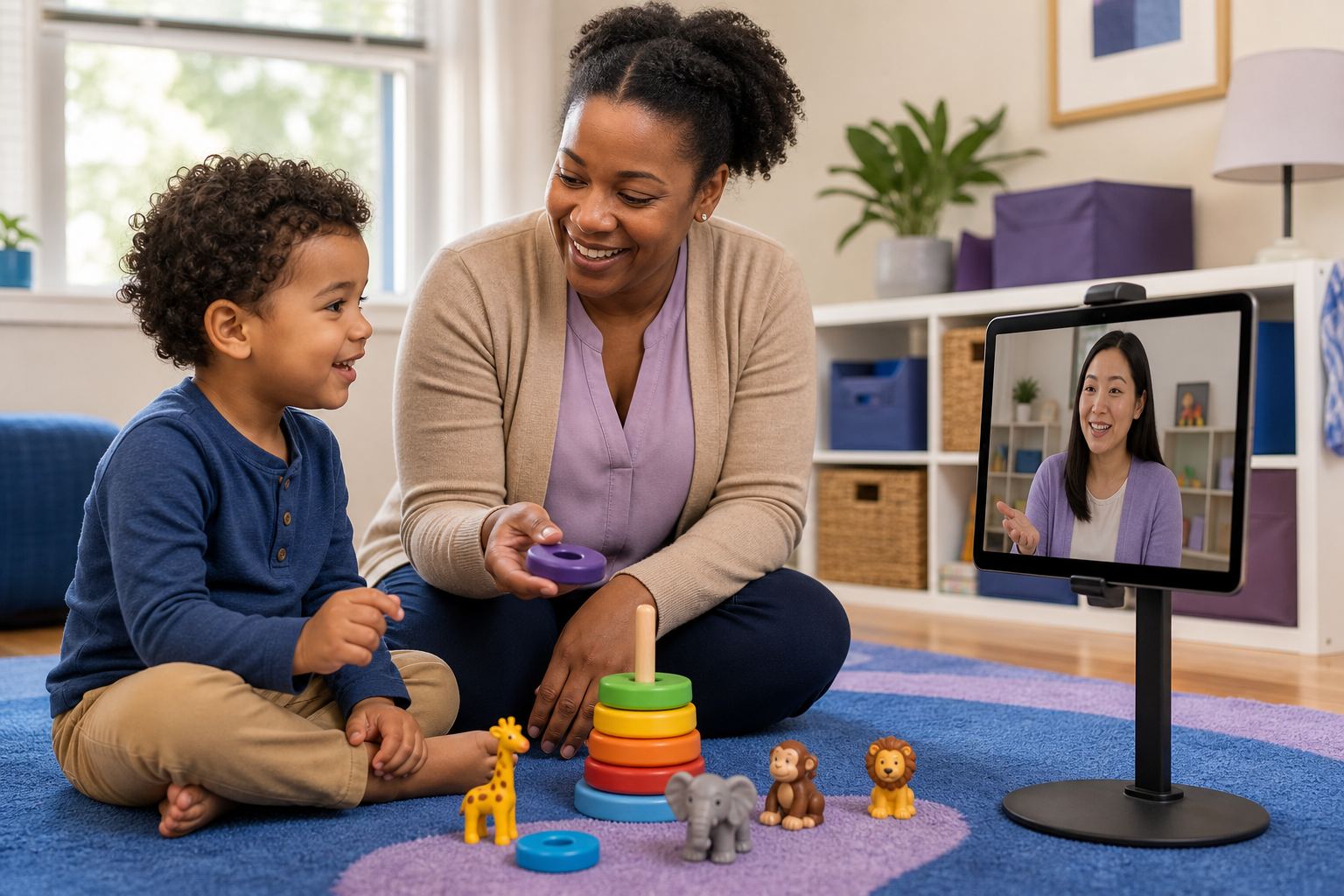
Most families need a laptop or tablet with a working camera and microphone, reliable internet, the secure platform their provider designates, nearby power, a stable way to position the device, a reasonably private space, and enough light to see clearly. Add materials that fit the day’s goal. You do not need a dedicated therapy room or expensive equipment.
A rough first virtual session can leave you wondering whether telehealth is the problem. Often, the trouble is more specific: the camera was too close, the device kept moving, the room was busy, the timing was off, or no one was sure what the caregiver was expected to do. Applied Behavior Analysis (ABA) delivered through telehealth may include parent coaching, observation, communication, play, daily living, or remote clinical supervision. The setup should match the goal and your child’s daily rhythm. You and the care team can adjust it together.
The Minimum Telehealth ABA Setup You Need at Home
Quick setup: Most families need a laptop or tablet with a camera and microphone, reliable internet, the provider’s secure platform, power, a stable device position, a reasonably quiet space, front-facing light, and goal-appropriate materials. A professional therapy room is not required.
Must-have items
- Device: A laptop or tablet is usually easier than a phone for seeing the child, caregiver, and clinician together. A phone can serve as a backup if it is compatible with the provider’s platform.
- Connection and power: Test the internet before the session, keep the charger nearby, and confirm the backup contact method the provider wants you to use.
- Stable view: Use a stand, secure surface, or stack of books. Keep the device movable when the activity changes, but place it where it cannot be knocked over or reached unsafely.
- Workable space: Choose a reasonably private, low-distraction area with enough room for the routine being observed. Front-facing light helps the clinician see faces and interactions.
- Secure platform: Use the platform designated by the provider for information protected under HIPAA, the Health Insurance Portability and Accountability Act. Follow the provider’s instructions for consent, recording, and privacy. A familiar consumer app is not automatically appropriate for protected health information.
Headphones, a phone or hotspot backup, visual schedules, preferred reinforcers, comfort items, and Do Not Disturb settings can help, but they are optional. You usually do not need a dedicated therapy room, ring light, professional camera, expensive toys, or specialized equipment unless the provider recommends them.
Let the session goal guide the view. Caregiver coaching may require both people to stay visible. Natural-routine observation may need a wider view of a kitchen, play area, or another safe space. Younger children may need room for play and movement, while teens and young adults may need more privacy and independence. If you are comparing care options, see telehealth ABA therapy in Maryland.
Use the HOME-LINK Readiness Map to Match the Setup to the Session
The HOME-LINK Readiness Map helps move the conversation from “Why did the first session fail?” to “What did the clinician need to see or coach?” and finally to “What should we adjust next?”
H: Home Goal
Start with the routine or skill the clinician needs to see: caregiver implementation, communication, play, daily living, movement, observation, or generalization. That goal determines the room, camera distance, available materials, and caregiver position. Participation does not require constant eye contact or continuous focus on the screen. Ask the Board Certified Behavior Analyst (BCBA) what meaningful participation looks like for this session.
O: Online View
Check the device size, camera, microphone, light, charger, internet connection, secure platform, and backup contact. A child-and-caregiver view may work best for coaching. A wider view can help with movement or a natural routine, while a closer view may be useful for a specific interaction. Keep the device stable and out of reach, and follow the provider’s instructions if the view needs to change.
M: Manage the Environment
Reduce avoidable distractions from siblings, pets, background noise, notifications, unrelated browser tabs, personal documents, and family names that could appear on screen. Use Do Not Disturb and secure the device, but do not feel that the space has to look like a clinic. A separate room is not always possible or necessary. The aim is a safe, workable setting that still reflects real life.
E: Equip the Child and Caregiver
Preview the session with a visual schedule, a short social story, a practice login, or a simple explanation of who the BCBA or Registered Behavior Technician (RBT) is and what will happen. When possible, address snack, toileting, comfort, sensory, and regulation needs ahead of time. Gather preferred items, visuals, communication supports, simple activities, and movement-break options that fit the planned goal.
The caregiver may implement a prompt or reinforcement, reposition the camera, share observations, and practice between sessions. That does not make the caregiver the sole therapist, and no one is expected to perform perfectly. Ask about the session plan, data expectations, technical fallback, and how the team will recognize meaningful progress. The provider should guide treatment and safety changes.
LINK: Link, Troubleshoot, and Decide
After the session, note what worked, what the clinician needed to see, and one adjustment to test next time. If privacy, participation, or safety concerns keep coming up, ask the BCBA about more in-person modeling or a hybrid plan. The goal is a strong parent-professional partnership, not placing the entire burden on one parent.
The 15-Minute Telehealth ABA Reset Checklist
Use this reset when you are preparing for the next session after a difficult first experience.
The day before
- Confirm the secure platform, login, appointment time, and backup contact.
- Charge the device and test the camera, microphone, and internet.
- Choose the space and identify the routine or goal the clinician needs to see.
- Gather visual, communication, comfort, and preferred materials.
15 minutes before
- Place the device on a stable stand and check the lighting and framing.
- Silence notifications and close unrelated tabs or documents.
- Prepare snack, toileting, sensory, or movement supports as needed.
- Identify likely interruptions from siblings, pets, or household noise.
During the session
- Follow the clinician’s lead, reposition the device when asked, and use the agreed technical fallback.
- Pause for regulation or movement when needed, and note what the clinician needs to see next.
After the session
- Record one or two strategies to practice and what seemed helpful.
- Confirm the next technical or clinical adjustment.
- Flag privacy, safety, or fit concerns for the BCBA.
If the same issue keeps repeating, choose the next step deliberately: adjust the setup, ask for coaching, or discuss in-person or hybrid care. More equipment cannot solve every clinical-fit or safety concern. For ideas about carrying strategies into daily life, see support for your child’s progress between ABA sessions.
Troubleshoot Common Failures During a Virtual ABA Session
Try the simplest safe response first, then tell the clinician what happened.
- Frozen video: Keep the audio connection if possible, close unused apps, and reconnect.
- Echo or unclear audio: Try headphones or mute speakers as appropriate, then check which microphone is selected.
- Lag: Pause screen sharing if it is in use, reduce competing bandwidth, or move closer to the router when feasible.
- Wi-Fi failure: Use the provider-agreed phone or hotspot fallback. Do not switch to an unapproved platform for sensitive information.
- Child dysregulation or refusal: Pause, allow time to regulate, shorten or pivot the activity, and follow the clinician’s guidance. A child does not have to face the screen continuously for the session to provide useful information.
- Unsafe view or privacy problem: Pause, reposition the device, remove unrelated information from view, and ask the clinician how to continue safely.
For more on privacy and data sharing, read how secure online ABA therapy and data sharing should be handled. Troubleshooting should address access and safety, not become an unsupervised change to goals, prompting, reinforcement, or other treatment procedures.
Know When to Adjust the Setup, Ask for Coaching, or Discuss In-Person or Hybrid Care
Before deciding what to change, sort the concern into one of four areas:
- Technical: The device, connection, sound, camera view, or platform failed. Test one part at a time.
- Environmental or timing-related: Noise, siblings, fatigue, hunger, or a rushed routine made participation harder. Adjust the time or space with input from the care team.
- Regulation or routine-related: The activity was too long, the transition was unclear, or the child needed movement, comfort, or a different reinforcer. Pause and follow the clinician’s guidance.
- Clinical fit or safety-related: The goal requires physical prompting, close in-person modeling, or support for high-risk aggression, self-injury, or another significant safety concern. Discuss in-person or hybrid care with the BCBA instead of simply adding equipment.
Telehealth may be useful for communication, play, daily routines, caregiver coaching, observation, and generalization. It is not a one-size-fits-all replacement for in-person care. The BCBA and broader care team should assess fit, and parents should not change treatment or safety procedures independently.
For broader guidance on fit, see whether telehealth ABA therapy can work for your child. If direct home support is a better match, this Maryland parent’s guide to a great in-home ABA session offers a useful contrast. The next step may be better coaching, a different routine, more in-person modeling, or a tailored hybrid plan.
Frequently Asked Questions About Preparing for a Virtual ABA Session
What do I need for a telehealth ABA session at home?
You need a laptop or tablet with a camera and microphone, reliable internet, the provider’s secure platform, power, a stable device position, a reasonably private space, and materials that match the session goal. A professional therapy room is not required.
Do I need special equipment or an expensive therapy room for virtual ABA?
Usually not. Headphones, a ring light, specialized toys, or a dedicated room may help in some situations, but they are optional. A stable device, adequate light, and a workable routine matter more. Follow the provider’s recommendations if a particular activity calls for something additional.
Is a phone enough, or is a laptop or tablet better?
A phone can be a useful backup. A laptop or tablet is generally easier for seeing caregiver-child interaction and natural routines. Confirm platform compatibility, keep the device charged, and position it securely before the session begins.
How should I position the camera for a virtual ABA session?
Match the view to the goal. Use a child-and-caregiver view for coaching, a wider view for movement or routines, and a closer view only when the clinician needs it. Keep the camera stable, well lit, and out of reach. The provider can help you decide what should stay in frame.
Does a parent or caregiver need to stay for the whole session, and what do they do?
The caregiver’s role varies by the service model and goal. They may participate in coaching, implement strategies, share observations, help with the camera, or practice between sessions. Ask the provider to clarify who should be present, what support is expected, and how progress will be discussed. You do not have to perform perfectly for the session to be useful.
What if my child will not sit still, look at the screen, or participate?
Preview the session, offer movement or regulation breaks, use preferred materials, and follow the clinician’s lead. Constant screen-facing is not the only measure of participation. If refusal, distress, or safety concerns happen repeatedly, discuss the pattern with the BCBA so the team can consider a different routine, additional coaching, or in-person or hybrid support.
Maryland Telehealth ABA Coverage and Policy Notes
Home preparation and coverage are separate questions. Ask the provider and payer how the service model, authorization, procedure code, and plan rules apply. Private insurance and Medicaid may differ on authorization, claims, and in-person care.
The Maryland Department of Health ABA Telehealth Transmittal PT 60-26 states that, effective April 1, 2026, certain Maryland Medicaid ABA codes, including 97155, 97156/97156-U2, and 97157, may not be delivered 100% through telehealth. The transmittal describes at least 25% in-person care and up to 75% telehealth for affected services. This is not a universal rule for every family, payer, or service. Verify current requirements with the provider, Maryland Medicaid, or your plan.
Able Minds ABA supports families as they think through telehealth, caregiver coaching, insurance paperwork, and the next step for their child’s goals. For more coverage context, see navigating Maryland’s ABA insurance mandates. You can also review telehealth ABA therapy in Maryland and bring your setup, privacy, and fit questions to the BCBA. A calm reset can provide more useful information than buying equipment.
